Before buying a property, an open-permit check should identify active applications, issued permits without documented closeout, unresolved inspections or corrections, and occupancy records that do not match the proposed use. In New York City, search both DOB NOW and the legacy Building Information System because the Department of Buildings divides current and older records across those routes.
Official routes checked October 15, 2026: New York City Department of Buildings; Recheck both DOB NOW and BIS, current job and permit fields, inspections, sign-off, and occupancy records before a transaction decision.
The result is a due-diligence list, not a guarantee that the property is clear. It must be matched to the exact building, lot, work scope, and official closeout document.
For a purchase outside New York City
Use the same evidence questions below, but confirm the local process before relying on the seller’s “no open permits” statement:
- Confirm the responsible department. Give the building department the exact address, parcel and unit. Ask whether city, county or another authority holds the relevant permits. For example, Miami-Dade’s jurisdiction guidance distinguishes incorporated cities from unincorporated county areas.
- List what remains unresolved. Match each permit number and work description to the seller’s disclosed work. Copy the exact application and permit statuses; ask the issuing department what inspections, corrections or documents remain.
- Obtain completion evidence. Request the final inspection result and the department’s applicable closure or sign-off record, including related trade permits. Austin’s homeowner guidance, for example, separates permit activation, final inspections and child trade permits.
- Ask which occupancy document applies. Confirm whether the property and intended use require a certificate or other occupancy record, then obtain it. Austin’s certificate guidance explains its own existing-certificate request route; local requirements elsewhere may differ.
For missing or conflicting evidence, record the department’s answer, the document still needed and who will obtain it for buyer-side review. The NYC walkthrough below shows how to assemble that packet in one jurisdiction.
Building Permit History tool · for buyers and owners
Permit status decoder
Copy the permit rows from the city or county portal and paste them below, one permit per line. The decoder explains each status, flags the ones to ask about, and lists what to request before you rely on the record.
How common is an old open permit? Our guide to finding open permits on a house shows how often home permits issued in 2019–2022 in six places still have no final inspection, and how often they stay open for years.
Define what open means for the transaction
Open can refer to an application still in review, an issued permit with work underway, an expired permit, an inspection or correction not resolved, a job lacking final sign-off, or an occupancy question. Write each as a separate decision. A seller may use open to mean no active construction, while the agency record may still show an unfinished filing.
Prepare the property address, borough, block and lot, building identification number when available, unit or building component, known job and permit numbers, and visible or disclosed work. Include the intended post-purchase use because occupancy records may matter even when construction permits appear complete.
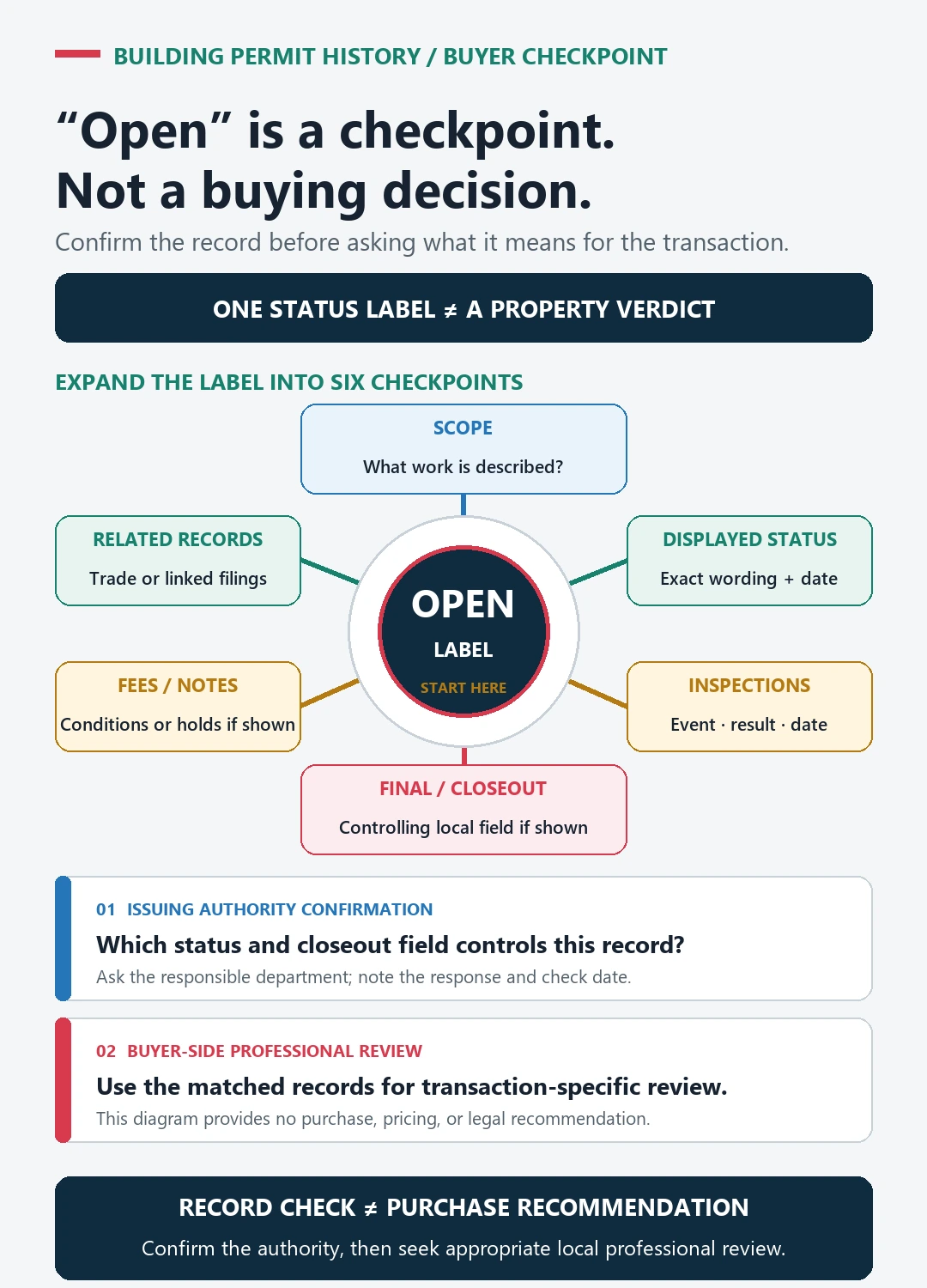
Use the open permits on a house guide to locate the right official portal and recover missing search results. Return here to decide which documents and unresolved items belong in the buyer’s review packet.
Lock the New York City property identity
The NYC Department of Buildings Find Building Data page routes users to DOB NOW, BIS, building history, and records resources. Search the address, then confirm borough, block and lot and the selected building. Range addresses, corner properties, condominiums, and multiple buildings can create several candidates.
Save the building profile before opening jobs. Compare the property identity in every filing. A permit at a similar address or adjacent lot should not enter the buyer’s list without a verified match.
If the address fails, use the block and lot or building identifier supported by the official portal and preserve the failed address search.
Use DOB NOW and BIS by record era and function
The DOB NOW Public Portal FAQ explains the current and legacy-system split and the identifiers available to public users. Search both systems when the property history crosses the transition or when the Department directs a job type to BIS.
Create a route table:
- DOB NOW property or job result: Current filings and records handled in DOB NOW
- BIS building profile and jobs: Legacy or still-supported BIS records and building information
- Issued-permit datasets or pages: Permit issue evidence tied to job and property
- Inspection and document tabs: Stage results, objections, sign-off, and filed documents
- Records request or archive: Underlying documents not available online
Keep the source system beside each number. Similar identifiers can serve different record roles.
Separate an application from an issued permit
The NYC building applications and permits page distinguishes application and issued-permit data families. For every potentially open item, copy job or application number, permit number, work type, description, applicant, filing status, permit status, issue and expiration dates, and any parent-child relationship shown.
An application can remain filed without an active permit. A permit can be issued for only part of a larger job. A renewed permit does not by itself close prior objections or final-inspection tasks. Match the permit’s work type and description to the seller’s renovation or the observed condition.
Use the NYC permit search guide for the exact DOB NOW and BIS routing steps.
Trace inspections, objections, and sign-off
Open the official job and permit details. Record required or completed inspections, objections, corrections, appointments, sign-off, withdrawal, superseding filings, and final status as separate events. A passed inspection for one trade or stage is not a final sign-off for the whole job.
Arrange the timeline from filing through issuance, work, inspections, corrections, and final agency action. If a permit appears expired, determine whether the work was completed and signed off, renewed, superseded, or left unresolved according to the official records. Do not infer the answer from the expiration date alone.
Use the final inspection status guide to retain requested, performed, passed, failed, and final distinctions.
Check occupancy records independently
The NYC Certificate of Occupancy page explains the role of Certificates of Occupancy, Temporary Certificates, Letters of Completion, and Letters of No Objection within the City process. Compare the building’s current occupancy record with the buyer’s intended use and the work described in permit filings.
A final permit sign-off does not automatically answer every occupancy question. A Certificate of Occupancy does not prove later alterations were permitted. Keep both branches and record any unit count, use, floor, or building-description conflict for official review.
The permit-versus-occupancy guide provides a worksheet for this comparison.
Reconcile the record with disclosed and observed work
List additions, conversions, decks, roof work, structural changes, bathrooms, kitchens, electrical panels, HVAC equipment, fire systems, and occupancy changes disclosed by the seller or visible during inspection. Match each item to a job and permit scope, inspection chain, and closeout record.
Classify each item as matched and closed, matched but status unresolved, partial-scope match, property-identity conflict, or no matching record located. The last category is an unresolved search, not a declaration that the work was illegal.
Coordinate material conflicts with the buyer’s attorney, inspector, architect or engineer, and the Department route appropriate to the question. Preserve what each professional and agency was asked to evaluate.
Build the unresolved-item packet before closing
For each open or ambiguous item, save the property identifiers, official system, job and permit numbers, description, dates, current status, inspections, objections, sign-off, occupancy document, screenshots or downloads, checked date, and exact question. Ask what document or agency action would resolve it and who is responsible for obtaining that result.
The packet is not a substitute for legal advice, a physical inspection, title review, or written DOB determination. Its purpose is to prevent a broad no open permits statement from hiding an active filing, incomplete closeout, or occupancy mismatch that should be addressed before the transaction decision.