A building permit record usually identifies the issuing authority, property, permit or application number, work description, key dates, named project roles, and current status. Some systems also expose plan-review events, related trade permits, inspections, correction notices, documents, and a final or closeout event. A property summary or permit count does not show that full chain.
The record describes what the authority received, issued, inspected, or closed in that system. It does not by itself prove that every visible change was permitted, that the work matches the approved plans, or that the property complies today.
Find the authority that created the record
Start with the city, county, town, or other local department that had permitting authority when the work occurred. If that office is unclear, use the USA.gov local government directory, then confirm jurisdiction on the department’s own site. Search with the official address and parcel identifier; keep the approximate work date and any permit or application number ready for an archive or records request.
- Property match: official address plus parcel, lot, or building identifier.
- Project match: work description, record number, applicant or contractor role, and issue date.
- Outcome match: inspection entries, corrections, final status, and any certificate tied to the same scope.
- Coverage check: the system’s date range, excluded record types, and route for older or non-digitized files.
Use both the address and parcel number
Before searching, have the street address, parcel number, owner or applicant name, permit number, and an approximate work date ready. Most portals accept at least one of these:
- Exact street address
- Parcel or assessor number
- Permit or application number
- Issuing city or county
Open the permit, inspection, and completion history
- Open the individual permit or application record that matches the property and work description.
- Copy the issuing authority, record number, permit type, scope, issue date, and agency status exactly as displayed.
- Follow related permits, inspections, corrections, documents, and any final or certificate record tied to the same work.
- Check the source’s published coverage before interpreting an older or missing record.
- If a layer is absent, ask the issuing office for that named record and preserve the search terms and date used.
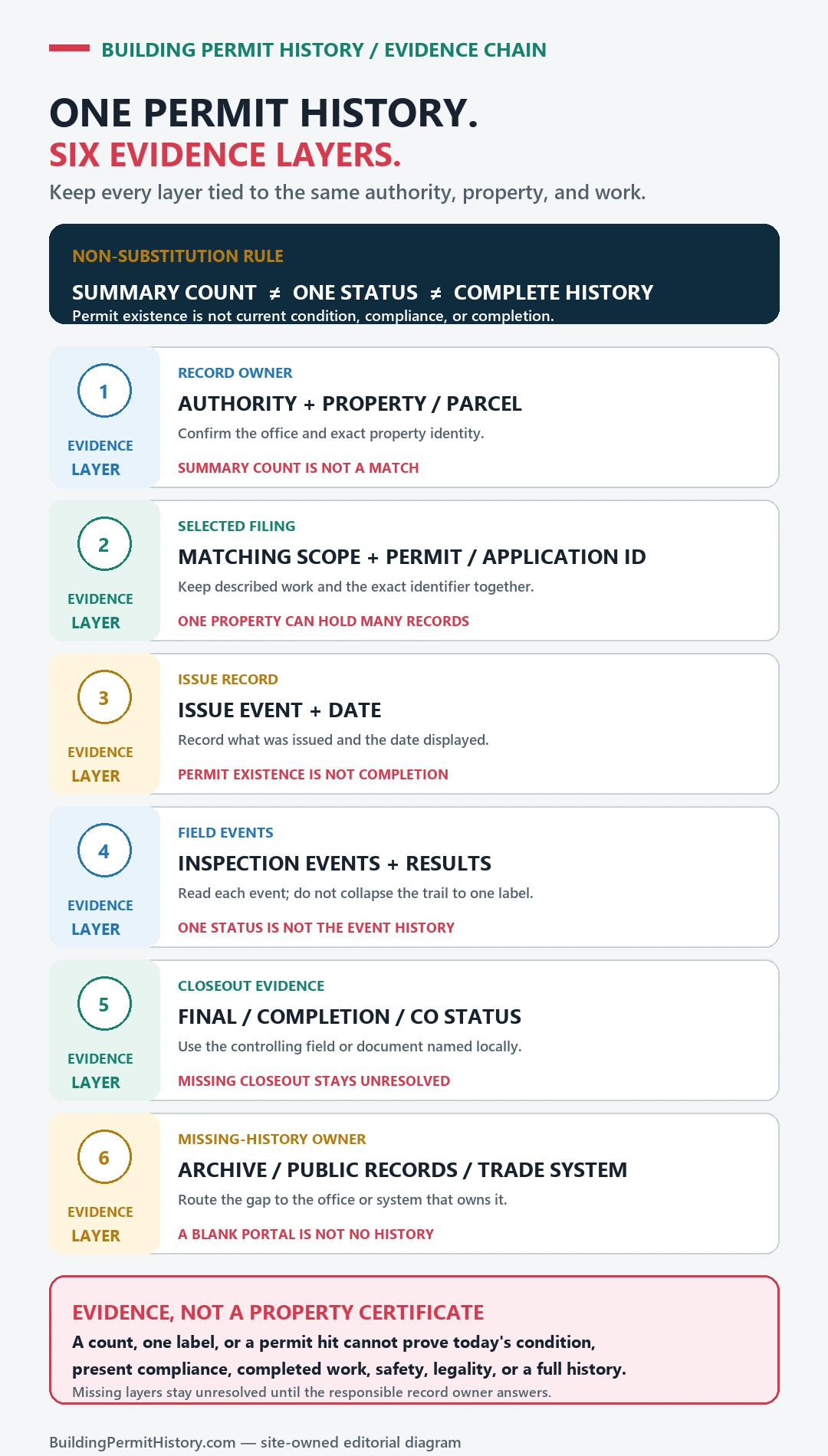
Read issued, finaled, expired, and open separately
A result is strongest when the permit, inspection events, and final status refer to the same scope of work and property.
- Property identity: Which address, parcel, lot, or building identifier the record is attached to.
- Scope and dates: What work the filing describes and when application, issuance, or later events were recorded.
- Status and inspections: The agency’s recorded stage and any inspection results shown for that exact record.
- Closeout or certificate: Whether the source shows a later final, completion, or occupancy document tied to the same scope.
A permit entry found through building permit records does not by itself prove that the work passed final inspection, matches the building today, or complied with rules owned by another department.
What a large public permit dataset actually records
One way to see what a permit record does and does not contain is to read a big public dataset. The City of Chicago publishes its Building Permits dataset on its open data portal, covering permits issued from 2006 to the present. Its published column summary, read on October 20, 2026, lists 847,004 records. Four patterns stand out, and they apply well beyond Chicago:
- Status is often blank. The City describes the status field as not available for all permit types, and it is empty on 302,443 records, about 36%. A blank status is a data limit, not evidence that work was left unfinished.
- “Issue date” has more than one meaning. For most permit types it is the date the City found the permit ready to issue, subject to fee payment; for Express Program permits it is the date of full payment. Neither is a construction start date.
- Most permits are small. Express Program and Easy Permit filings make up about 63% of the records, and about 56% show zero days between application and issue. A long permit list at one address can be routine trade work rather than major construction.
- Some records are deliberately absent. Permits voided or revoked after issuance are excluded from the dataset, so a permit you hold on paper may not appear in it at all.
The dataset also carries a milestone field that goes further than status, with values such as inspections, certificate of occupancy issued and stop work. Its columns center on the permit, its fees and its contacts, so individual inspection results and drawings still have to come from the City’s own building records. These figures come from the City’s published summary and change as the dataset is updated.
If the permit history is incomplete
For an unresolved record, give the issuing office the official address and parcel identifier, approximate work year, exact record type needed, portal or archive searched, search values used, and every application or permit number found. Ask which system or request route owns that named item.