Start a property permit search with the department that issued permits for the property. Match the parcel, open the underlying records, and note any gap that may require an archive or public-records request.
For property permit search, the useful chain is the permit scope, issue record, inspections, and final or completion status. Keep the permit number, department, work scope, issue date, inspections, and final status together for a property permit search.
Decide whether the city or county issued the permit
The mailing city and the permit authority are not always the same. First match the address to an official parcel or jurisdiction source and determine whether the site was inside an incorporated city, in an unincorporated county area, or served by another permitting authority when the work occurred. If the responsible government is still unclear, use the USA.gov local government directory to reach the candidate offices, then confirm service-area or jurisdiction information on their own sites.
Use the city portal when the city issued the permit and the county portal when the county issued it. An empty search in the wrong system says nothing about whether a permit exists. For boundary changes or older work, record the work year and ask which office owns records from that period.
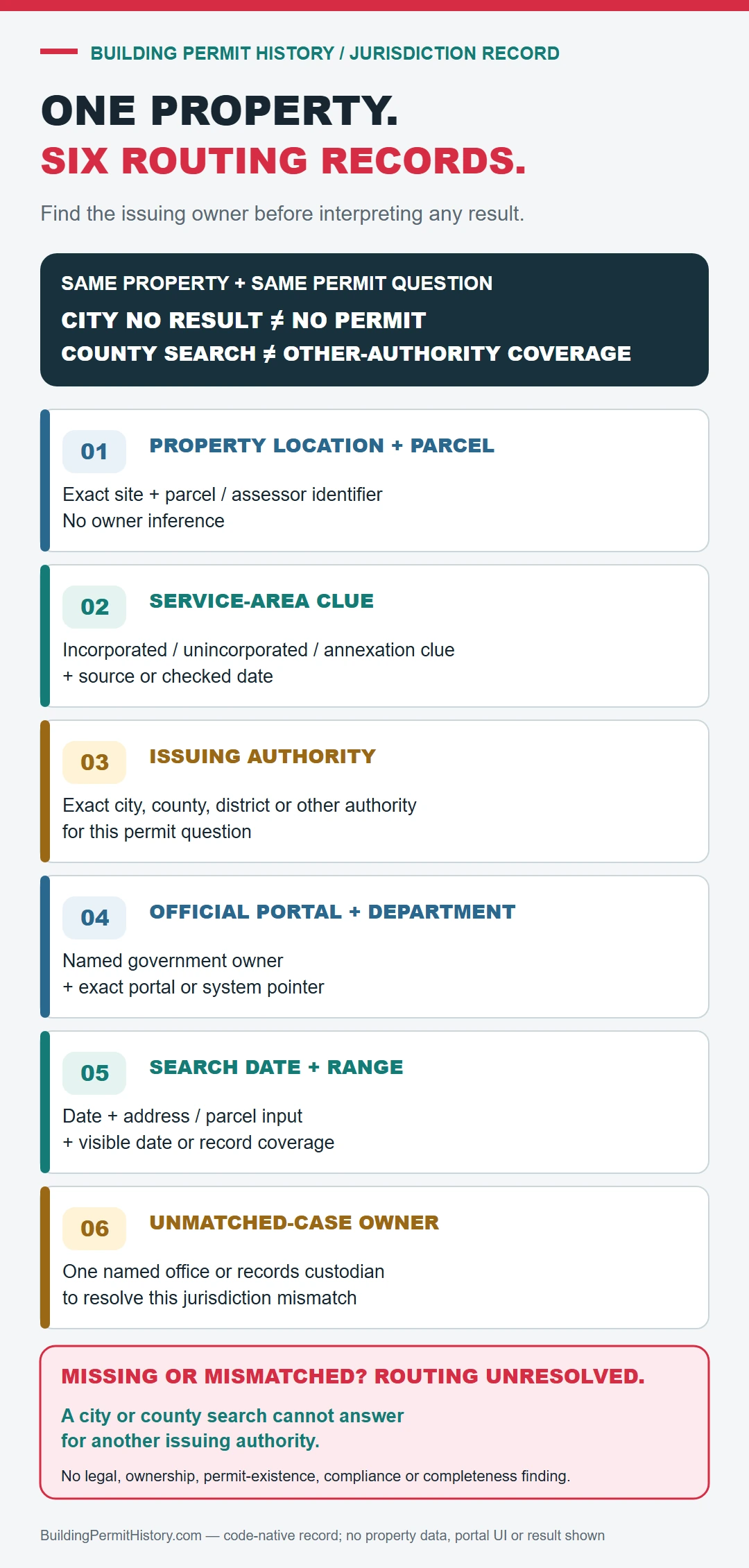
Treat the directory as navigation only. Save the official parcel or boundary source used to place the property and the building department page that confirms responsibility for that address and work year.
Use both the address and parcel number
Before relying on the property permit review, have the street address, parcel number, owner or applicant name, permit number, and an approximate work date ready.
- Exact street address
- Parcel or assessor number
- Permit or application number
- Issuing city or county
Open the permit, inspection, and completion history
- Confirm the parcel and the government boundary for the work year.
- Open the permit portal owned by that city, county, district, or other authority.
- Search the official address and parcel identifier, then save every plausible permit or application number.
- Compare scope, issue date, inspections, and closeout only within records issued by the responsible authority.
- If the expected period is absent, use that authority’s legacy, archive, or public-records route and preserve the work year in the request.
Read issued, finaled, expired, and open separately
In the property permit review, the result is strongest when the permit, inspection events, and final status refer to the same scope of work and property.
| Routing question | Evidence to keep |
|---|---|
| Where is the property? | Official parcel identifier and the boundary or service-area source used. |
| Who owned permits for the work year? | City, county, district, or other authority and its own jurisdiction statement. |
| Which record matches? | Permit number, property identity, work description, issue date, and issuing department. |
| What does a blank mean? | Only that the recorded search found no match in that source and coverage; the jurisdiction or archive step remains open. |
A permit entry found through property permit search does not by itself prove that the work passed final inspection, matches the building today, or complied with rules owned by another department.
If the permit history is incomplete
For an unresolved jurisdiction, provide the official address, parcel identifier, work year, record type, candidate authorities, and the city or county systems already searched. Ask which authority owned that record for the stated place and period before making another permit request.