To find open permits on a house, first identify the city or county building department that issued permits for the property. Search the exact address and parcel number, open each permit’s detail page, and look for the inspection and close-out events tied to the same work. A status label alone does not tell you whether the work was finished properly.
There is no nationwide house-permit database or universal meaning for “open.” One portal may use active, issued, pending, expired, finaled, completed, or closed, while another splits older and newer records between separate systems.
Find the issuing department before you search
Permits are usually held by the local government with jurisdiction over the address. Start with the official building, planning, or development-services website. A commercial property-data site can help with an address, but it is not the authority that issued or closed the permit.
- Use the USA.gov local-government directory if you do not know the responsible city or county.
- For New York City, begin with NYC Find Building Data, which routes older BIS records and newer DOB NOW filings.
- For Seattle, use the city’s property research guidance and the Seattle Services Portal record search.
- Austin Development Services provides a public-search walkthrough showing permit-number and property-search routes.
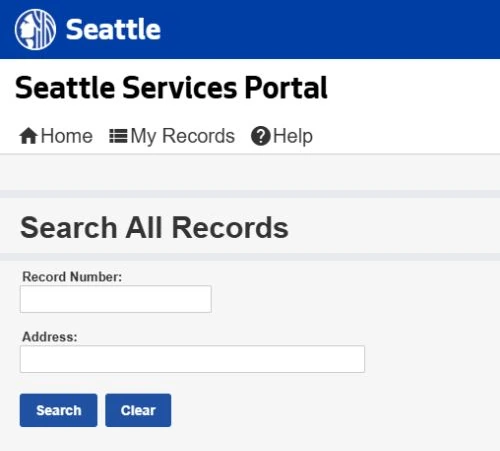
Check the authority’s date coverage before assuming the search is complete. NYC, for example, tells users to use both BIS and DOB NOW because filings created in DOB NOW do not appear in BIS.
Search the address, then the parcel number
Begin with the street address exactly as the authority formats it. If the result is empty or shows only part of the property, repeat the search with the parcel, assessor, block-and-lot, BIN, or APN used in that jurisdiction. Multi-address buildings and corner lots are often easier to match by parcel identifier.
- Exact street number, street name, suffix, and unit when the portal accepts one
- Parcel, APN, assessor, block-and-lot, or building identification number
- Permit, application, job, or record number if it appears on plans or invoices
- Approximate work date, permit type, contractor, owner, or applicant as secondary filters
Do not filter by “open” on the first search unless the portal requires it. A permit may be listed under an unexpected status, a related trade record, or an older system, and an early filter can hide the record you need.
Open every permit tied to the same work
A property summary or permit count is only the starting point. Open the detail page for each record that matches the renovation, addition, roof, electrical, plumbing, mechanical, demolition, or occupancy work you are checking.
- Confirm the property. Match the address, parcel, and issuing jurisdiction before reading the status.
- Match the scope. Compare the permit description, type, issue date, and contractor or applicant with the work visible at the house.
- Follow related records. Structural work may have separate electrical, plumbing, mechanical, fire, planning, or right-of-way permits.
- Read field events. Look for scheduled and completed inspections, failed or partial inspections, correction notices, outstanding documents, and unpaid fees.
- Find the close-out evidence. Depending on the authority, this may be a final inspection, finaled status, letter of completion, certificate of occupancy, or another named record.
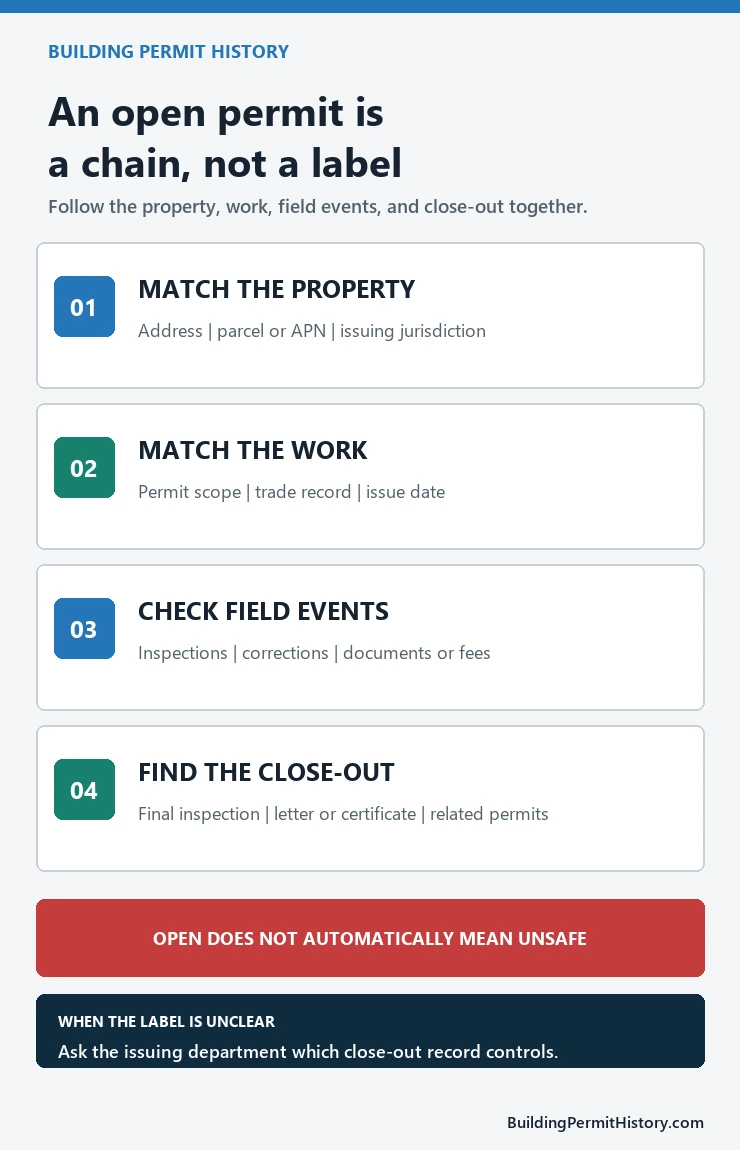
Save the permit numbers and the name of the issuing department. If the online sequence is ambiguous, those identifiers let staff answer a specific question instead of trying to reconstruct the property from a street address alone.
Building Permit History tool · for buyers and owners
Permit status decoder
Copy the permit rows from the city or county portal and paste them below, one permit per line. The decoder explains each status, flags the ones to ask about, and lists what to request before you rely on the record.
Read the status with the inspection history
The same word can mean different things in different portals. Read the agency’s glossary or help page and check the event history before drawing a conclusion.
| Status you may see | What to verify next | What it does not prove |
|---|---|---|
| Open, active, or issued | Whether inspections, corrections, documents, fees, or close-out steps remain | That the house is unsafe or the work was illegal |
| Pending or in process | Whether this is still an application, plan review, correction cycle, or permit request | That construction permission has already been issued |
| Expired | Whether renewal, reinstatement, a new permit, or another local procedure is required | That the work passed inspection or the file was automatically completed |
| Finaled, completed, or closed | Whether the final event covers the same scope and all related trade permits | That the property’s present condition is guaranteed |
An “open” entry can reflect unfinished work, a missing inspection, unresolved corrections, paperwork, fees, expiration handling, or an administrative close-out issue. It is a reason to investigate, not a diagnosis of the building.
If the online history stops too early
Older records may be stored in a legacy portal, scanned permit card, microfilm collection, archive, or paper file. Also check whether planning, fire, utilities, public works, or a separate trade-permit system owns part of the work.
- Try former street addresses, parcel changes, and address variants.
- Check the portal’s start date and legacy-system notice.
- Ask whether plans, inspection cards, or completion documents require a public-records request.
- Ask which department holds related electrical, plumbing, mechanical, fire, or zoning records.
How often home permits stay open for years: permits issued 2019–2022
We took home remodel and addition permits issued from 2019 through 2022 in six places and checked what status each one shows today, three to seven years later. To decide what counts as open, we used the same rules as our permit status decoder: “Issued” or “Active” means the permit is still open with no final inspection, “Expired” means it lapsed without a final, and “Finaled,” “Complete,” or a certificate of occupancy or completion means it was closed out. Withdrawn, void, and cancelled permits were left out. All data was pulled October 24, 2026, and the numbers are our own calculation from each city’s open data, not city figures.
Still “Issued” or “Active,” with no final inspection
| Place | 2019 | 2020 | 2021 | 2022 |
|---|---|---|---|---|
| Seattle | <1% | 2% | 2% | 3% |
| NYC | 17% | 20% | 19% | 20% |
| LA | — | 17% | 18% | 19% |
| Austin | <1% | <1% | <1% | <1% |
| Chicago | <1% | <1% | 1% | 2% |
| Mont. Co. | 14% | 17% | 18% | 15% |
Now “Expired,” with no final inspection
| Place | 2019 | 2020 | 2021 | 2022 |
|---|---|---|---|---|
| Seattle | 20% | 23% | 23% | 23% |
| LA | — | 4% | 3% | 3% |
| Austin | 26% | 20% | 23% | 22% |
| Chicago | 1% | 7% | 53% | 52% |
New York City and Montgomery County don’t use an Expired status for these permits, so a lapsed permit there still reads as open. For Los Angeles, the city data set starts in 2020. This is a different period from the 2023–2024 figures in our city analyses and comparison tool, so the shares are not meant to match.
Three things stand out for anyone checking a house before buying.
- Open permits don’t close on their own with time. In Los Angeles, New York City, and Montgomery County, 14% to 20% of home permits issued in each year from 2019 to 2022 still show no final inspection, and the 2019 permits are open about as often as the 2022 ones. A permit that is still open after a few years is likely to stay open until someone asks for the final.
- Where cities expire permits, about one in five ends that way. In Seattle and Austin, almost no old permits still read “Issued” or “Active” (under 3%), but 20% to 26% now show “Expired.” In those cities, look for Expired rather than Issued when you scan an older permit history.
- Chicago’s history changes in 2021. Chicago renovation permits issued in 2019 and 2020 almost all show “Complete” (98% and 92%), while about half of those issued in 2021 and 2022 show “Expired.” The data doesn’t explain the break, so compare Chicago permits only with others from the same period and read each one’s inspection history.
Places and permits counted: Seattle single-family additions and alterations (Seattle Open Data); New York City DOB NOW alteration jobs on one- and two-family buildings, by first permit date, where open means no sign-off (NYC Open Data); Los Angeles alteration, repair, and addition permits on one- and two-family homes, original permits only (LA Open Data); Austin residential repair and addition-and-remodel building permits (Austin Open Data); Chicago renovation and alteration permits (Chicago Data Portal); and Montgomery County house and townhouse alteration and addition permits (dataMontgomery). Where the decoder’s wording rules didn’t fit a city label, such as Los Angeles “CofC Issued,” we placed it by meaning; these cases are under 1% of permits.
If a permit from years ago is still open
- Ask the seller whether the work was finished, and by whom. An old open permit often means the work was done but the final inspection was never requested.
- Ask the building department what it takes to close it now. Some departments can still schedule a final; others require the permit to be renewed or a new permit for the existing work.
- Agree in writing who closes it and who pays before closing.
- Use the decoder to build the list. Paste the permit rows into the permit status decoder and use its “Copy as a checklist” button to send the questions to the seller or your agent. For a full pre-purchase checklist, see our open permits check before buying.
Before relying on the result
A permit portal is evidence of what the authority recorded; it does not certify that the house is currently code-compliant, safe, insurable, or free of unpermitted work. For a purchase or dispute, obtain the official records, ask the issuing department what remains, and use the appropriate local inspector, design professional, title professional, or attorney for the decision at hand.
Useful questions for the department are: Which permit is still unresolved? What inspection or document is missing? Can the current owner complete the close-out, and does any related permit need separate action?
An open permit is different from work that never had a permit. For the second case, see our guide to unpermitted work on a house, including how often permits legalize existing work.
Related permit checks
- Open permits to check before buying a property
- How to look up building permits by address
- When building permits are public records
Official source pages and search paths checked July 22, 2026.
Some permits never reach a final because they expire first. Our breakdown of which home projects end with expired building permits shows that repair jobs such as roofs, decks and windows expire most often in Austin and Seattle.
In Montgomery County, Maryland, 21% of home electrical permits issued from 2022 through 2024 still showed no final inspection in October 2026; our Montgomery County MD electrical permit lookup breaks that down by type of work.
More from our permit data: what public permit records show across seven places.