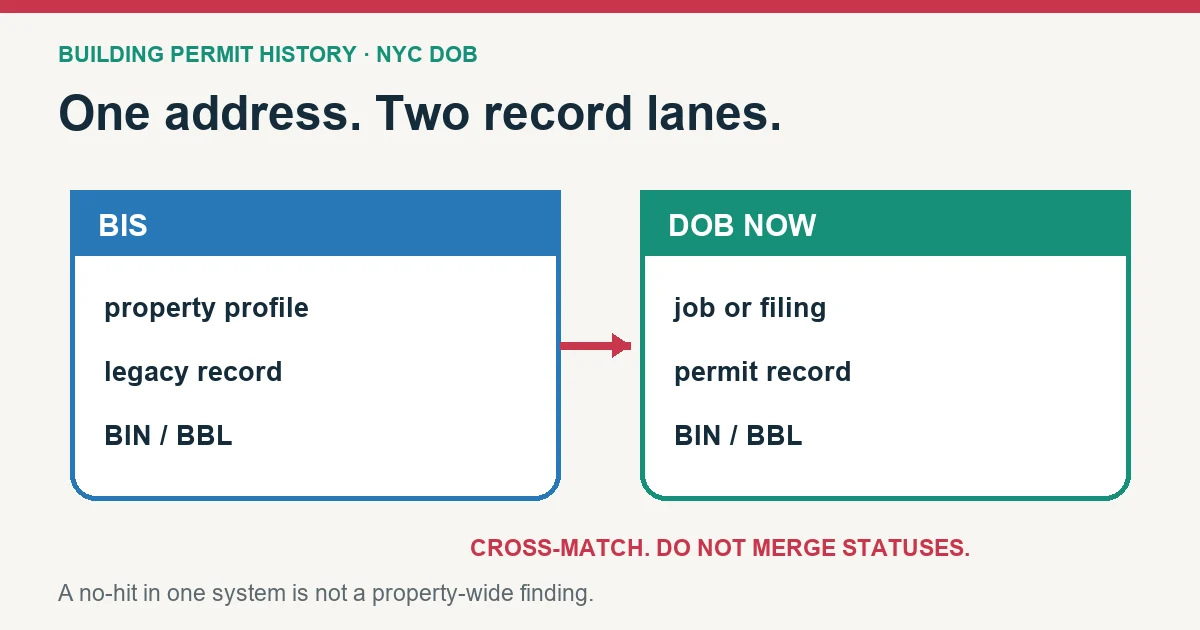
An NYC DOB property search by address requires both the DOB NOW Public Portal and BIS: DOB states that filings in the two systems only partly overlap. Use the address to identify the property, confirm its BIN and borough-block-lot, then keep separate ledgers for jobs or filings, permits, inspections, complaints, violations, and occupancy records.
At a glance
- Address search: Yes. BIS by house number and street, BIN or block and lot; DOB NOW by address, BBL, BIN or job number.
- Online records start: Not confirmed for permits. Older and eFiling jobs stay in BIS; DOB NOW covers its own filings (DOB NOW FAQ).
- Older records: Request folders, plans or microfilm in DOB NOW: BIS Options and pick them up at the borough office. Status email within 2 business days; off-site records take about a week. Certified staff copies $8 for the first page, $5 after (DOB records request guide, 2021).
- Checked: October 21, 2026. Compare 15 other jurisdictions in our permit lookup by address comparison.
Building Permit History tool · for buyers and owners
Permit status decoder
Copy the permit rows from the city or county portal and paste them below, one permit per line. The decoder explains each status, flags the ones to ask about, and lists what to request before you rely on the record.
Reconcile the property before reconciling the systems
| Identity key | Exact value to save | Mismatch it catches |
|---|---|---|
| Address | House number, street, borough, alternate addresses | Same street name in another borough or a range address |
| BIN | Seven-digit Building Identification Number | Several buildings on one tax lot |
| BBL | Borough, block, and lot | One address covering several tax lots |
| Job/filing | Full BIS job or DOB NOW job filing number | A project row being confused with the building |
| Permit | Permit number and work type | A permit being confused with its parent application |
Search by house number, street, and borough first. On the property result, copy the BIN and BBL. Repeat the Public Portal search by BIN when the building has alternate addresses, and use BBL when the transaction or tax lot is the stronger identity. If one lot contains multiple buildings, keep each job or violation with its own BIN.
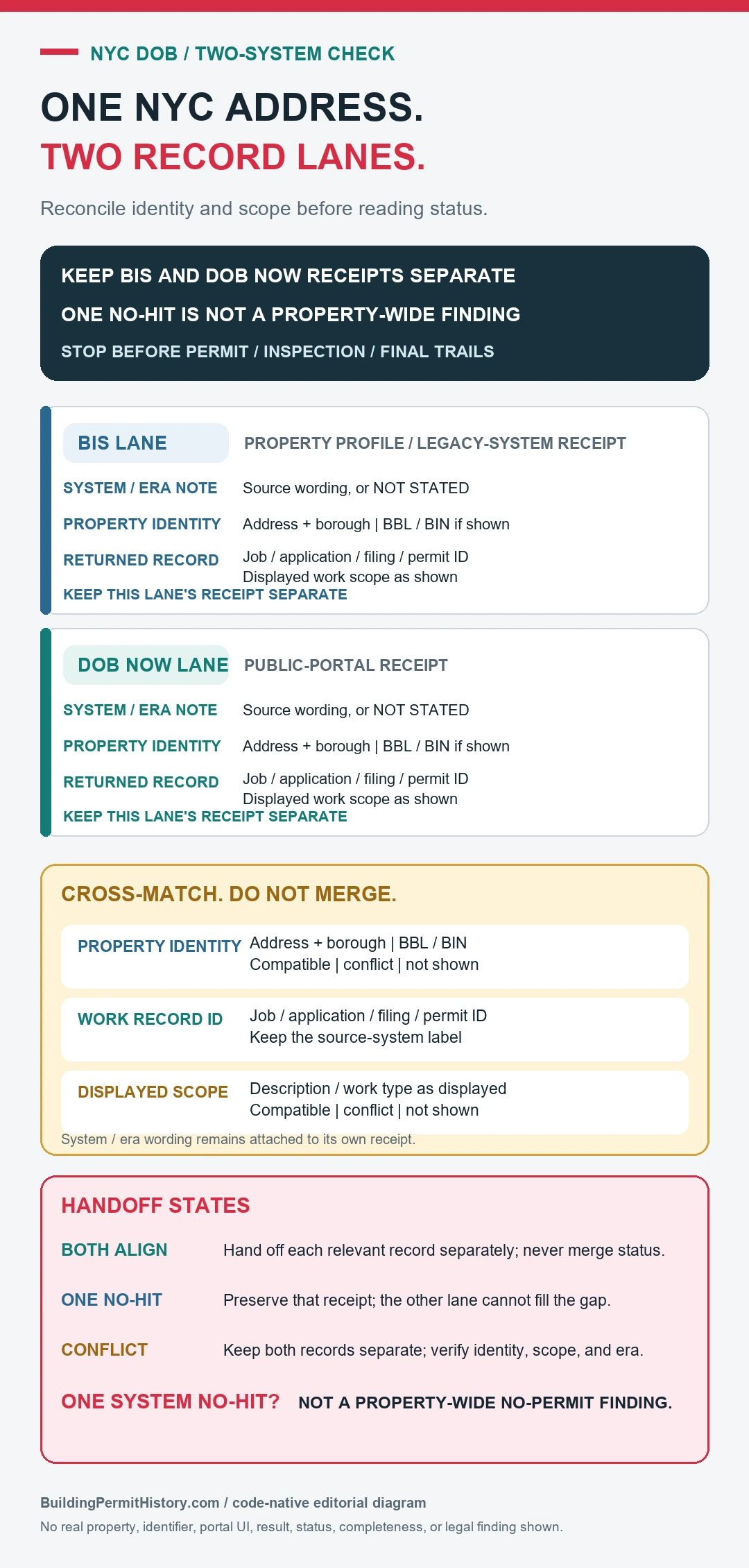
Keep separate ledgers for DOB NOW and BIS
| System | Use it for | Known boundary stated by DOB |
|---|---|---|
| DOB NOW Public Portal | DOB NOW property profiles, filings, permits, selected compliance/violation records | Only DOB NOW filings; some tools and public record types have narrower coverage |
| BIS | Older jobs, filings, issued permits, complaints, violations, actions, inspections, occupancy information | Excludes DOB NOW filings |
The DOB NOW Public Portal FAQ says BIS remains in use alongside DOB NOW, DOB NOW filings stay out of BIS, and public researchers should use both systems. It also says pre-filing jobs are hidden from the Public Portal and complaints remain in BIS. For a complete property search, treat absence from one system as a cue to check the other.
Open records in an order that preserves parent and child status
- Open the property profile and confirm address, BIN, BBL, and any additional BIN or alternate-address entry.
- List every relevant BIS job and DOB NOW filing as a parent record.
- Under each parent, list its document or filing sequence, work type, applicant, scope, and current status.
- List each issued permit beneath the correct job or filing, including permit type and issue/expiration information shown.
- Add inspections, objections, letters of completion, certificates of occupancy, and other closeout records without replacing the permit status.
- Search complaints and the applicable violation tools separately, then attach them only to the correct BIN and record number.
Interpret job, filing, permit, and completion as different objects
| DOB object | What the row can establish | Next evidence |
|---|---|---|
| Job or job filing | A defined application/work scope and its processing status | Documents, objections, approvals, and associated permits |
| Permit | Work authorization record issued under a job/filing | Permit dates, contractor, inspections, and renewal/expiry |
| Inspection | Result for a named inspection at a date | Outstanding inspection types, corrections, and final sequence |
| Letter of Completion | Completion record for the filing scope it identifies | Match job/filing and later work |
| Certificate/Schedule of Occupancy | Occupancy/use information for stated spaces or scope | Compare floor, unit, use, and current building |
DOB’s Find Building Data page explains that BIS includes property profiles, jobs/filings, occupancy information, complaints, violations, inspections, and older permit history, while DOB NOW contains applications submitted there and selected compliance information. The Get Building History page gives the address-to-BIS property-profile route and identifies certificate, violation, and complaint records as distinct checks.
What 153,348 recent NYC job filings show about sign-offs and lapsed permits
We downloaded every initial job filing submitted in DOB NOW: Build in 2023 and 2024 from NYC Open Data (DOB NOW: Build – Job Application Filings, pulled October 23, 2026), measured the days from filing to first permit, and checked which jobs have a sign-off date. For home jobs still open, we matched each filing to DOB NOW: Build – Approved Permits to see whether its work permits had expired. That is 153,348 filings, 134,836 of which received a permit. The numbers below are our own calculation from DOB’s published data, not figures published by the Department of Buildings.
| Job type (DOB category) | Initial filings | Days from filing to first permit (median) | Slowest 10% took at least | Permitted jobs still open, no sign-off |
|---|---|---|---|---|
| Alteration, one- or two-family building | 27,027 | 14 | 190 days | 26% |
| Alteration, all other buildings | 110,772 | 15 | 170 days | 27% |
| Alteration CO (needs a new certificate of occupancy) | 4,994 | 168 | 519 days | 63% |
| New building | 3,165 | 275 | 715 days | 54% |
| Full demolition | 2,286 | 114 | 410 days | 5% |
| All initial job filings | 153,348 | 18 | 218 days | 28% |
Three things stand out for anyone checking a New York City house before buying.
- About one in five 2023 house-alteration jobs has an expired permit and no sign-off. Of 8,987 permitted alteration jobs on one- and two-family buildings filed in 2023, 26% still show “Permit Entire” with no sign-off date nearly three years later. For 1,895 of them (21% of the total), every work permit in DOB’s approved-permit data has passed its expiration date. An expired permit doesn’t close the job. Until DOB signs it off, the job stays open on the property’s record, and that is the item to raise with the seller. Across 2023 and 2024 filings, home alterations that were signed off took a median of 178 days from first permit to sign-off.
- Bigger home jobs are the ones left open. Among those 2023 home alterations, about a quarter of jobs under $50,000 were still open, 27% of jobs between $50,000 and $150,000, and 33% of jobs above $150,000 (646 jobs). That runs opposite to our Seattle permit analysis, where smaller jobs expired more often.
- The job type predicts the wait. Ordinary alterations reached a first permit in a median of about two weeks. Alteration CO jobs, which change a building’s use, egress, or occupancy and need a new certificate of occupancy, took a median of 168 days, and 63% of the permitted ones are still open. If a listing describes a conversion, such as a one-family house made into two units, look for an Alteration CO job and its new CO, not just an ordinary alteration.
Limits of this count: it covers jobs filed in DOB NOW: Build only, so older BIS jobs and work filed in other DOB NOW modules, such as electrical, are not included. Many 2024 jobs are still in progress, so their final outcome isn’t known yet. Job cost is the applicant’s estimate. A job counts as signed off when DOB’s published sign-off date is filled in, and statuses are as of the pull date above. Thirteen filings whose first permit date was earlier than the filing date were left out of the timing figures.
Pick a city, a type of work, and a year. See how long similar permits took to issue and how many never recorded a final inspection.
To compare New York City’s wait with other cities, see our data on how long building permits take in six places.
Run zoning as a separate property check
A DOB job or permit answers what was filed or issued for a defined scope. The zoning rules that apply to the lot today come from a separate check. After matching the address, BIN and BBL in DOB records, open ZoLa with the same property identity and record the zoning district, special-purpose district and any map or overlay reference shown.
Use ZoLa as the navigation layer. The NYC Department of City Planning’s 2025 Zoning Handbook explains that ZoLa provides general zoning information, while the linked PDF zoning maps are the official maps and control exact district-boundary dimensions. The zoning text then supplies the rules for the identified district or special area.
Keep the two findings separate:
| Question | First official source | What it leaves open |
|---|---|---|
| What jobs, filings, permits or inspections are recorded? | DOB NOW and BIS | Compliance with every current zoning rule |
| What zoning district appears to apply? | ZoLa, followed by the official zoning map and text | Permit issuance or completed work |
| Does a particular filing include zoning analysis? | The exact DOB job/filing documents available for that record | Later amendments or another lot/building |
If the address, BIN and BBL point to different properties across DOB and ZoLa, stop before interpreting either result. Boundary questions, special districts, zoning-lot composition and later amendments can require the official map, current Zoning Resolution and a qualified local professional.
Build a one-property reconciliation sheet
| Record | System | Identifier | Scope/date | Status | Missing next record |
|---|---|---|---|---|---|
| Property | BIS + DOB NOW | BIN and BBL | Current search date | Matched / conflict | Alternate BIN, lot, or address |
| Project | BIS job or DOB NOW filing | Job/filing number | Work description | Exact system label | Approval, objection, or document |
| Permit | BIS or DOB NOW | Permit number | Trade/work type and dates | Exact permit label | Inspection or renewal |
| Closeout | Owning system | Letter/CO/inspection record | Named space and work | Issued/final/other | Unclosed item |
| Enforcement | BIS or DOB NOW tool | Complaint/violation number | BIN and date | Active/resolved/other | Disposition or correction |
Recover when an NYC address search looks incomplete
- No address result: confirm borough and street spelling, remove unit information, and search the BBL or BIN.
- Several properties appear: compare BBL, BIN, alternate address, building count, and selected profile.
- DOB NOW is blank: run BIS and consider whether the work is in pre-filing or another DOB record family.
- BIS is blank: run DOB NOW and verify that the property identity stayed the same across the transition.
- A plan or document is unavailable: use DOB NOW: BIS Options or the DOB record-request route rather than treating the public profile as the whole file.
- Two statuses conflict: identify whether they belong to a job, filing, permit, inspection, complaint, or certificate, and compare dates.
Request the missing NYC record by exact identifier
DOB says plans are unavailable in the Public Portal and routes record requests through DOB NOW: BIS Options. For a formal agency-record request, its FOIL page directs users to NYC OpenRecords with DOB selected. Include borough, address, BIN, BBL, job or permit number, record type, and date range. Ask for existing records; the records officer supplies documents rather than rulings on whether construction was legal or safely completed.
If the address also has ECB violations, our NYC DOB violations lookup explains the classes, hearing statuses and certification status, with 2024 outcomes.
Finish with a dual-system finding
The saved result should show the matched property identity, BIS records checked, DOB NOW records checked, parent/child links, inspections and closeout, complaints or violations searched, and missing document request. Continue to Building Permit History by Address for the combined chronology, Certificate of Occupancy vs Building Permit for occupancy scope, and Request Building Permit Records Not Online for the retrieval packet. A clean result in only one NYC system does not prove a clean building history.
NYC DOB Public Portal, BIS, FAQ and building-history pages checked August 26, 2026.
DOB records cover permits and building code violations. Housing maintenance violations, such as heat, pests and lead paint, are HPD records; our NYC HPD violations lookup explains classes A, B and C and how long 2024 violations stayed open.
To check the certificate of occupancy for the same building, see our NYC certificate of occupancy lookup, which also shows how long temporary certificates stay open.
More from our permit data: what public permit records show across seven places.