Quick answer: Building permits are commonly public records in the United States, but there is no single national permit database and access rules are local. Identify the city, county, or other authority that issued the permit, search its official portal, then use its public-records process for files not available online.
Usually public, but the issuing jurisdiction controls access
- Confirm jurisdiction from the property address and parcel record.
- Search by address, parcel, permit, applicant, and contractor when the portal allows it.
- Request the specific permit, plan, inspection, or completion record and date range rather than an unlimited file.
What this result does not prove
Public does not always mean instantly online or completely unrestricted. Privacy, security, copyrighted plans, fees, retention schedules, and exemptions can limit access.
Use the USA.gov local government directory to identify or contact the relevant local government; the directory does not state that jurisdiction’s permit-disclosure rule. Read the issuing office’s current records instructions, then continue with the permit-history-by-address workflow.
Building Permit History is an independent navigation guide. It is not a government database, a records custodian, or a law firm. The examples below show how three local governments route records; they do not establish a nationwide access rule or provide legal advice.
What “public” means for a permit file
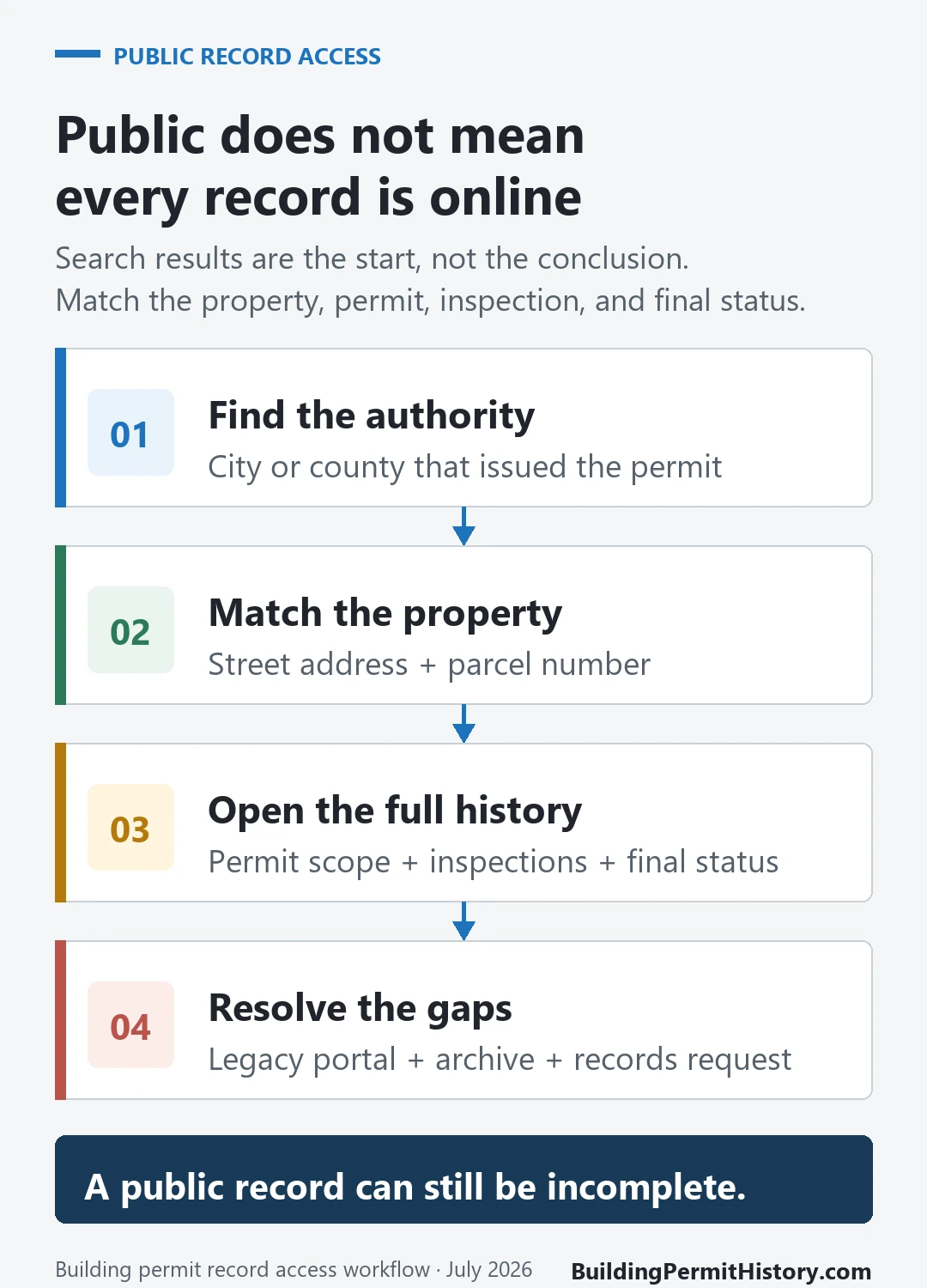
“Public record” does not mean every document is visible in a free address search. An online portal is usually an index or delivery channel chosen by one agency. The full file may be split among a permitting system, inspection system, document library, records-request office, and archive. The agency may also review the requested file for local disclosure restrictions before releasing it.
Use this table as a routing aid, not as a statement that a record must be released in every jurisdiction.
| Record you need | What it may show | Access boundary and next check |
|---|---|---|
| Permit summary or application index | Record number, work description, dates, applicant role, and status | Search by address, parcel, permit, or application number. If the portal’s date range or agency is wrong, repeat with another identifier and request the named file. |
| Inspection result or inspection card | Inspection dates, result labels, correction notes, or a final event | Open the individual permit or ask for its inspection history. Trade inspections may sit in another system. |
| Certificate of occupancy or completion record | A certificate image, certificate number, occupancy data, or a completion reference | Search the property or permit detail, then request the certificate by address, permit number, and approximate date if it is not digitized. |
| Approved drawings or plan set | A releasable plan set if the agency retained it | Security review, copyright procedure, on-site viewing, authorization, or archive coverage may apply. Follow the plan-specific route. |
| Applicant or contractor details | Names, roles, business details, and sometimes a license reference | Personal information may be redacted, and an old permit does not establish a current license. Request only needed fields and verify current licensing separately. |
| Complaints, violations, or enforcement records | Case type, status, notices, and recorded actions | Active and closed cases can use different channels, and complainant details may be protected. Use the enforcement unit’s instructions. |
The table also explains why two neighbors can have different search experiences. One property may have a recent permit in the current portal, while the other has an older file indexed under a former address in microfilm.
Move from the general rule to the correct local record system
Once you know which record you need, use the guide for the issuing jurisdiction. Each city separates current permits, inspections, plans, older files, and public-record requests differently.
| Jurisdiction | Use this guide | Key distinction |
|---|---|---|
| New York City | NYC DOB property search by address | DOB NOW and BIS cover different filing and record histories |
| Houston area | Houston permit search by address | City permit, plan-review, inspection, and Harris County routes are separate |
| San José area | San Jose building permit search | Confirm City or unincorporated Santa Clara County jurisdiction first |
| Seattle area | Seattle building permit search | Use SDCI current and historical sources; do not substitute King County for city records |
These guides explain where to search and how to read the result. They do not replace a certified record, a current property inspection, or advice from the agency that holds the file.
Find the office that actually issued the record
The property address alone does not identify the custodian. A city building department may issue the main construction permit, while a county, fire department, state agency, or separate trade-permit office holds another part of the history. An address near a boundary may also be in an unincorporated area rather than the nearby city.
Before searching, identify:
- the municipality or unincorporated county area where the property was located when the work occurred;
- the department that issued the building, electrical, plumbing, mechanical, fire, or land-use record;
- the current parcel or assessor number and any former address;
- the likely work date, because older records may use a different portal or archive.
If you do not know the local government, the official USAGov local-government directory provides state-by-state contact paths. Our city-versus-county permit records guide can help you frame the jurisdiction question before you contact an office.
Trade work can sit in its own records. Plumbing, electrical and mechanical permits often carry separate numbers, inspections and final results, even when they belong to one remodel.
Search the official portal before filing a request
An online search is faster and gives you the identifiers needed for a narrower records request. Do not stop at the property summary.
- Confirm that the portal belongs to the issuing government and covers the permit type and years you need.
- Search the exact street address. Then try the parcel number, permit number, application number, or a supported address variant.
- Open each relevant record and compare the property, work description, permit type, issue date, and issuing department.
- Follow links to inspections, documents, certificates, related applications, and violations instead of treating the visible status label as the whole file.
- Check the agency’s legacy-system or archive instructions when the work predates the portal’s stated coverage.
- Save the record number, URL, issuing office, and search date. Those details make a follow-up request easier to process.
Three jurisdictions show why the route changes
These examples were rechecked against official pages on August 6, 2026. They are examples of local workflows, not a summary of every state or city.
| Jurisdiction | What the official site makes searchable | When another channel is needed | Important local limitation |
|---|---|---|---|
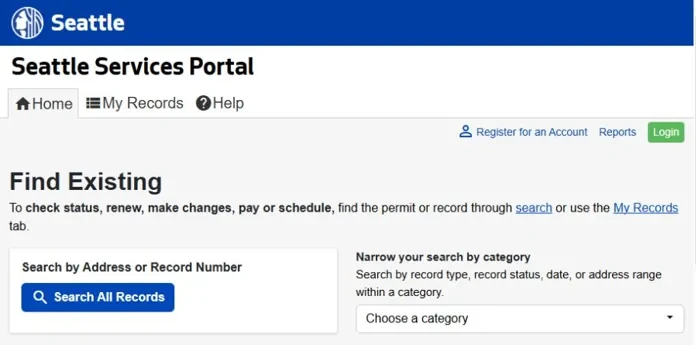
| Seattle | Seattle’s research guidance routes current and historical permit, inspection, and property documents through its Services Portal and Permit and Property Records tools | The department directs researchers to its Microfilm Library for older or missing material and asks for an individual request for approved construction plans | Seattle says plans for certain facilities are not available to the public and warns that historical files may use older addresses |
| New York City | The NYC Department of Buildings Find Building Data page directs users to BIS and the DOB NOW Public Portal for jobs, permits, complaints, violations, inspections, occupancy information, and newer filings | DOB says folders, plans, microfilm, docket books, and other documents can be requested through DOB NOW: BIS Options; DOB FOIL requests go through NYC OpenRecords | BIS and DOB NOW cover different filing eras and record types, so one property history may span both systems |
| Portland | Portland says certain permit plans and applications are available through Portland Maps and lists online searches for permits and enforcement cases | Its Permitting & Development records page sends records outside the stated online coverage and other file types to a formal request process | Portland requires a copyright-indemnification form for plan-related written requests and says some complainant information in enforcement files must remain undisclosed |
The useful lesson is not that one city’s rule applies elsewhere. It is that the official page should tell you three things before you request anything: which system holds the record, which years and document types are online, and what separate procedure applies to plans, archives, or restricted information.
Write a request the records officer can act on
A request for “everything about this property” can force the agency to interpret a broad scope. A request that names existing records, identifiers, and dates is easier to route and review.
Prepare:
- the exact street address and parcel or assessor number;
- former addresses or lot identifiers if the property changed;
- permit, application, job, or case numbers already found;
- the record types you want, such as the issued permit, application, inspection card, final inspection, certificate of occupancy, notice of violation, or approved plan set;
- a reasonable date range tied to the suspected work;
- your preferred delivery format and a request for a fee estimate if the agency’s process allows charges.
A plain-language request can read:
Please provide existing records held by [department] for [address and parcel], covering [date range]: the permit application and issued permit for [record number or work description], inspection card or inspection history, final or completion documentation, certificate of occupancy if one exists, and notices of violation tied to that work. Please include the approved plan set only if it is retained and releasable through this request channel. Electronic copies are preferred. If the local process permits partial release, please identify any withheld portion and provide the remaining releasable material.
Adapt that wording to the agency’s form. Do not ask a records officer to decide whether work was legal, safe, or properly completed. A records request seeks existing documents; interpretation or a new inspection is a different service. Portland, for example, expressly says its records process is not a channel for staff research, analysis, or records that do not yet exist.
If the record is missing, withheld, or old
No result appears online
An empty portal result is not proof that no permit exists. Confirm the jurisdiction and portal coverage, remove unit numbers, try the parcel or permit number, and check former street names. Then look for a legacy portal, scanned-document library, microfilm index, or archive contact. Our guide to building permit data limitations explains the common gaps created by migrations, retention schedules, and split systems.
The agency finds no responsive record
Check whether the request went to the right department and named the right property and years. Ask whether a predecessor agency, county archive, fire department, or trade-permit office would be the more likely custodian. Keep the response with your search notes. “No responsive record” describes that request and search; it does not establish that no work occurred or that no record ever existed.
Part of the file is redacted or withheld
Follow the jurisdiction’s notice and appeal instructions rather than assuming the restriction is wrong. If the process allows it, ask whether nonrestricted portions can be released and whether the response identifies the local basis for each withheld part. Drawings, security-sensitive facility information, personal contact details, and complainant identities can follow rules different from the permit index itself. The Seattle and Portland examples above show two different local approaches.
The work predates the online system
Search by the identifier used when the work occurred. That may be a former address, legal description, lot, block, parcel, or old permit number. Ask the archive what date range it retains and whether the index is by address, permit number, or microfilm reel. Seattle’s official research page, for example, separates current records from several historical formats and tells researchers to contact its Microfilm Library when the online tools do not contain the file.
What a permit record does not prove
A permit record is evidence of what an agency recorded. Its meaning depends on the exact permit, property, scope, dates, inspections, and completion documents you can match. It does not, by itself, prove:
- that every alteration on the property was permitted;
- that the completed work matches the approved scope or drawings;
- that all required inspections passed or a final approval was issued;
- that no open violation exists in another department or system;
- that the building is safe or complies with today’s code;
- that title, zoning, occupancy, or transaction questions are resolved.
An “issued” permit is not the same as a final inspection. A “closed” or “finaled” label is meaningful only for the identified permit and scope. A certificate of occupancy, when one exists, answers a different question from whether a later remodel had its own permit.
Turn the file into a usable property timeline
For each project, line up the application, issued permit, inspection events, corrections, and final or occupancy document under one record number and scope of work. Record gaps instead of filling them with assumptions. If you are reconstructing several projects, our building permit history by address guide shows how to organize the dates and identifiers without treating the portal as a complete property history.
Stop when you can identify the custodian, the property, the record numbers, the documents reviewed, the remaining gaps, and the official response path. If the result affects a purchase, renovation, occupancy decision, or dispute, use the record as a starting document and get advice from the appropriate local department or qualified professional for that decision.
Official examples and links last checked August 6, 2026. Local portals, fees, record coverage, and disclosure procedures can change.