To run a contractor permit search by address, start in the official city or county permit system, search the property, and open each relevant permit or job record. Read the role beside every name before deciding who the contractor was, then check that person or company in the jurisdiction’s separate license search when one is available. An address result can connect a filing to a property, but it does not automatically prove who performed the work, whether a license is current, or whether the work passed final inspection.
The order matters. A web search for a contractor name can mix businesses with similar names, while a property search gives you the permit number, scope, dates, and role labels needed for a reliable cross-check. It also shows when the named party is an owner, architect, engineer, applicant, or filing representative rather than the contractor you expected.
Checked July 23, 2026. Permit portals, record coverage, role labels, status terms, and licensing systems vary by jurisdiction. Confirm the live record with the agency that issued it.
Find the issuing jurisdiction before searching the address
Do not assume that one national address search covers local building permits. Begin with the government responsible for the property. Depending on the location, that may be a city building department, county development office, consolidated city-county agency, or a separate authority for a trade permit.
If the authority is unclear, use the USAGov local-government directory to reach the official local government for the state, then look for its building, planning, development services, code, or permits department. Our city-versus-county permit guide explains how to resolve that first routing question.
| What you need to know | Best record to open | What to copy |
|---|---|---|
| Which work was filed for the property | Official building permit or job search | Permit or job number, scope, issue date, status |
| Who appears on the filing | Individual permit, application, or job detail | Exact legal name, role label, license or tracking number |
| Whether a license is current | State or local contractor-license search | License status, classification, expiration, disciplinary notes if shown |
| Whether the work reached closeout | Inspection, final, completion, or occupancy record | Inspection result, final date, certificate or closeout reference |
| Whether older work is missing online | Legacy portal, scanned archive, or public-records office | Archive range, request number, agency contact |
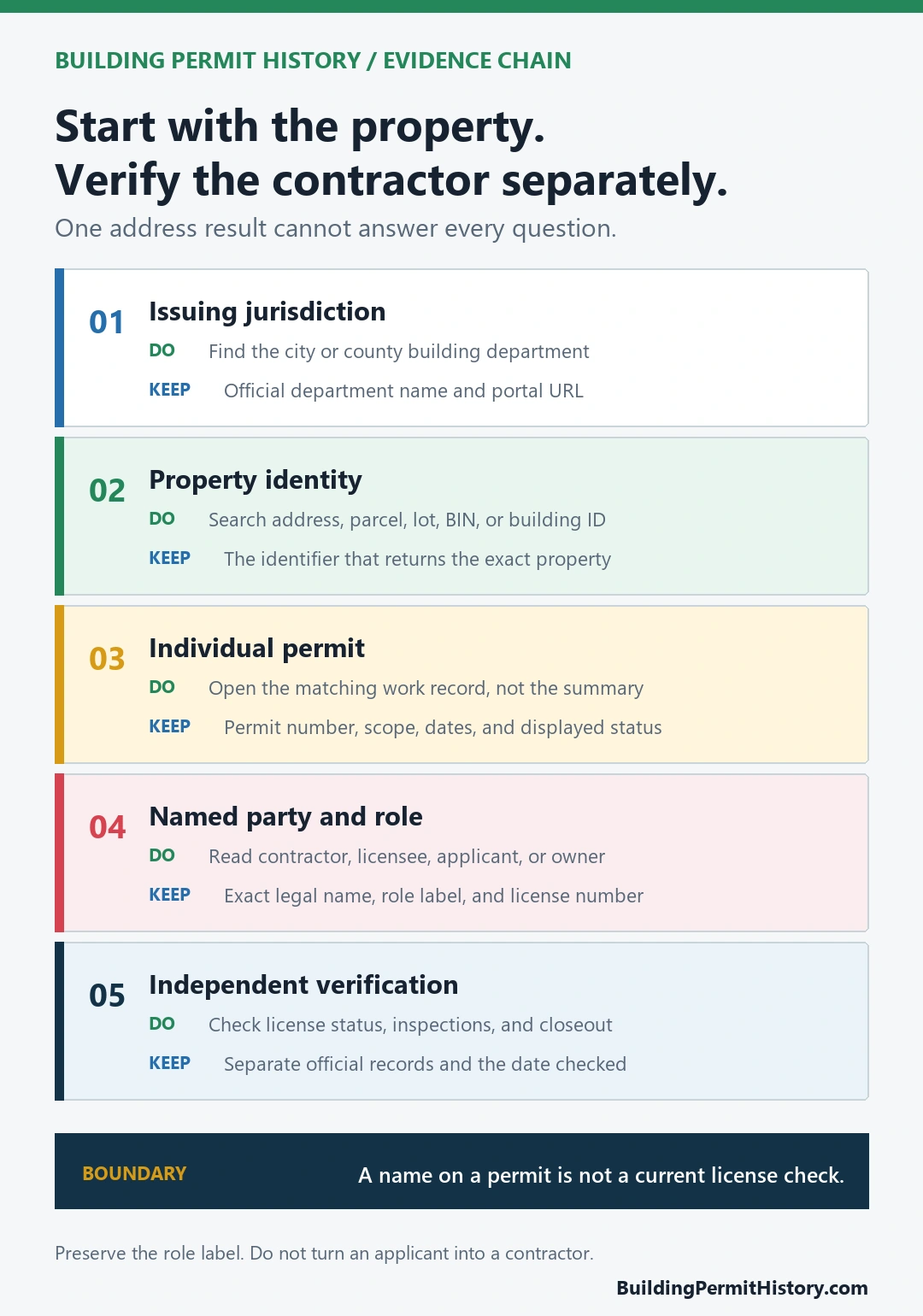
A third-party property page can suggest where to look, but use the issuing agency’s record for the actual permit number and status. The government domain, department name, property location, and record identifier should agree before you rely on the result.
Search the property before searching the contractor
Have more than the street address ready. Permit databases may index the same building by parcel number, tax lot, building identification number, unit, former address, or a shortened street name. A large building can also have several valid entrances and addresses.
- Confirm the municipality and the department that issued permits for the property.
- Search the exact street number and street name without adding a contractor name.
- Repeat the search with the parcel, lot, building, or assessor identifier when the portal supports it.
- Open each permit whose date and work description could match the project you are researching.
- Save the permit number, work description, dates, status, and every named party with the role displayed beside that name.
- Use the exact name or license number from the record in the official contractor or trade-license search.
Do not stop at a property summary that says only “permits found.” Open the individual entries. The useful evidence is the combination of address, permit number, work scope, named role, and timeline. The broader permit lookup by address guide covers address and parcel-search tactics in more detail.
Match each name to the role shown on the record
A permit detail may show several people or businesses. Treat the label beside the name as part of the evidence. “Applicant,” “owner,” “design professional,” “filing representative,” “licensee,” and “contractor” are not interchangeable, and the labels differ across departments.
Copy the exact business name and any license, registration, or tracking number. Then compare those identifiers with the official licensing record. A close name match is not enough when two businesses use similar names or when a person works through a differently named legal entity.
Also compare the permit’s work description with the project you care about. A contractor listed on a roofing permit should not be treated as the contractor for an unrelated electrical or plumbing job at the same address. Trade permits may be held in another database even when the main building permit appears in the property record.
Read the permit as a sequence, not a single status
An issued permit normally indicates that the agency authorized a defined scope of work under the applicable process. It does not, by itself, show that construction occurred exactly as filed or that every required inspection and closeout step was completed.
- Application or job: the proposed work entered the agency’s review process.
- Permit issued: work was authorized for the scope and period shown, subject to local conditions.
- Inspection event: an inspection was requested or recorded; read the result and date, not only the presence of an entry.
- Final, complete, or closed: look for the agency’s actual closeout field and any linked certificate or letter.
Status vocabulary varies, so use the portal’s glossary or department guidance. If your concern is unresolved work, follow the separate open-permit check and compare the permit with its inspections and completion record.
New York City shows why one address may require two systems
New York City’s Get Building History page tells readers to use both the Building Information System (BIS) and the DOB NOW Public Portal. It says BIS can be searched from the Building Information Search by borough and address to reach a Property Profile, and that BIS also includes searches for tradespeople licensed by the Department of Buildings.
The city’s Find Building Data page explains the split: BIS contains property profiles and records of permits issued and job applications created before DOB NOW, while the DOB NOW Public Portal contains applications submitted in DOB NOW. The official DOB NOW: Build FAQ therefore says to use both systems for all filings and permits at an address.
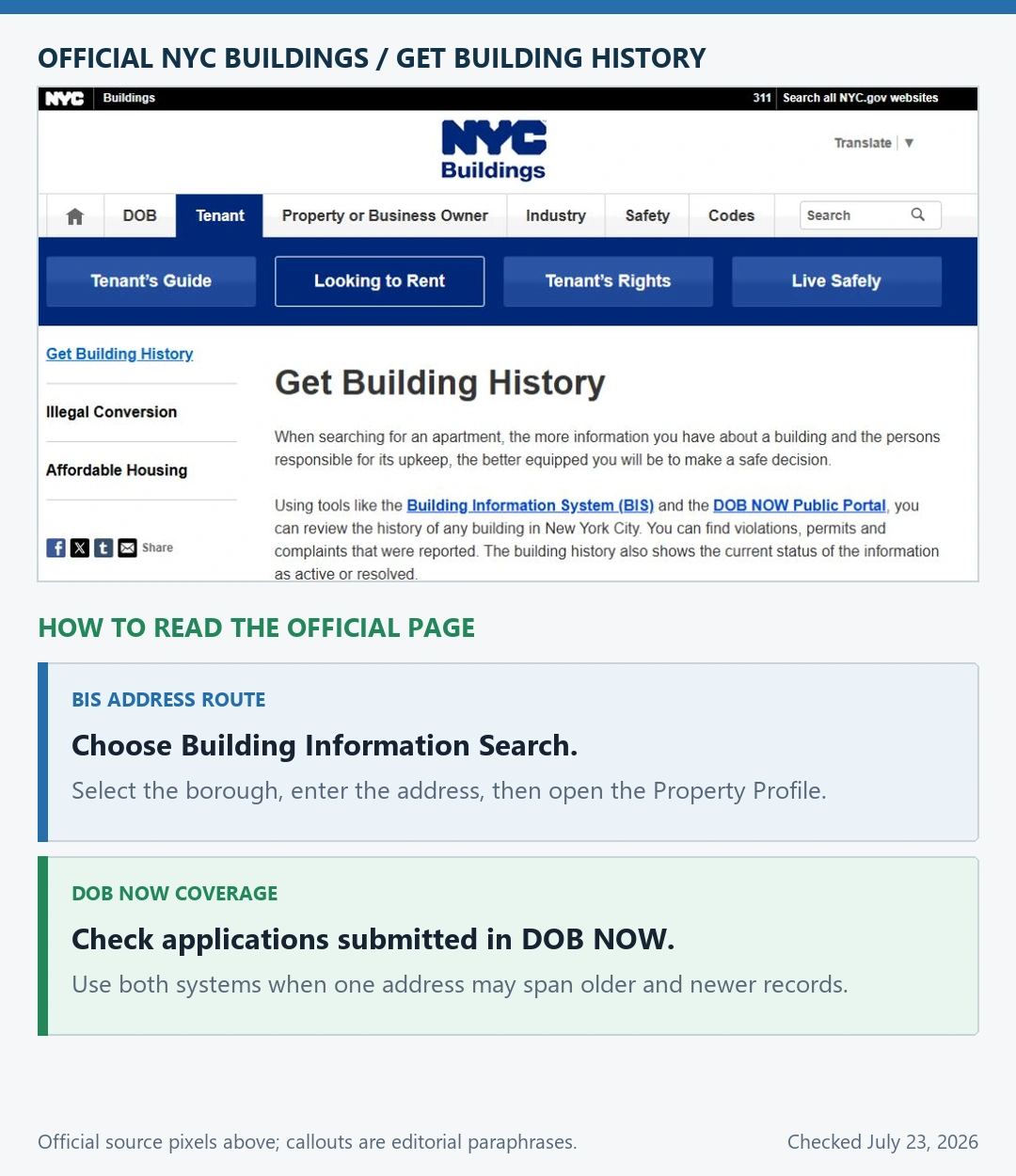
The same FAQ notes that a Building Identification Number (BIN) search can be more inclusive than an address search when a building has multiple addresses. In practice, search the DOB NOW Public Portal, repeat the address in BIS Building Information Search, and compare the records rather than assuming one empty result settles the question. See our NYC DOB address-search guide for the city-specific sequence.
If the address or contractor name returns nothing
An empty search is a reason to change identifiers, not evidence that no permit exists. Try the parcel number, legal lot, former street name, unit-free address, building identifier, or known permit number. Check whether the portal covers the year of the work and whether plumbing, electrical, fire, or mechanical permits are stored separately.
For a missing contractor name, search the exact license number first. Then try the legal business name, individual qualifier, or former business name shown on the permit. If the record predates the online coverage period, ask the issuing office which archive or public-records request holds the older permit jacket, card, plan, or inspection history. The address-not-found guide has a focused recovery checklist.
What the record can and cannot establish
A matched official record can support a careful statement: a named person or business appears in a stated role on a particular permit or application for that property. A current licensing record can separately show the status and classification displayed by the licensing authority on the date checked.
The records do not automatically prove that the named party personally performed every task, that the completed work matches present conditions, that no unrecorded work exists, or that the project passed every final requirement. Keep the permit search, license check, inspection history, and current physical condition as separate questions. For a wider property review, use the building permit history by address guide.
Questions about contractor permit searches
Is there one U.S. website for contractor permits by address?
Do not rely on a single nationwide search. Find the city, county, or other authority that issued permits for the property, then use that agency’s official system and any linked archive.
Will an address search always show the contractor?
No. Some records show a contractor or licensee, while others emphasize the owner, applicant, design professional, or filing representative. Open the detail page and read the displayed role instead of assigning one.
Is the permit applicant the same as the contractor?
Not necessarily. The applicant may have a different professional or administrative role. Use the record’s label and verify the contractor or trade license separately when that identity matters.
How do I find the contractor on an old permit?
Check the portal’s coverage dates, then move to its legacy system, scanned archive, index card, permit jacket, or public-records request. Search by parcel and permit number as well as address.
Does an issued permit mean the job passed final inspection?
No. Read the inspection results and the agency’s final, completion, closeout, or certificate field tied to the same permit. “Issued” and “finaled” answer different questions.
Official sources checked
This independent routing guide was checked against the USAGov local-government directory, NYC Buildings’ Get Building History and Find Building Data pages, and the official DOB NOW: Build FAQ. The issuing building department and licensing authority control the record for a specific property and contractor.