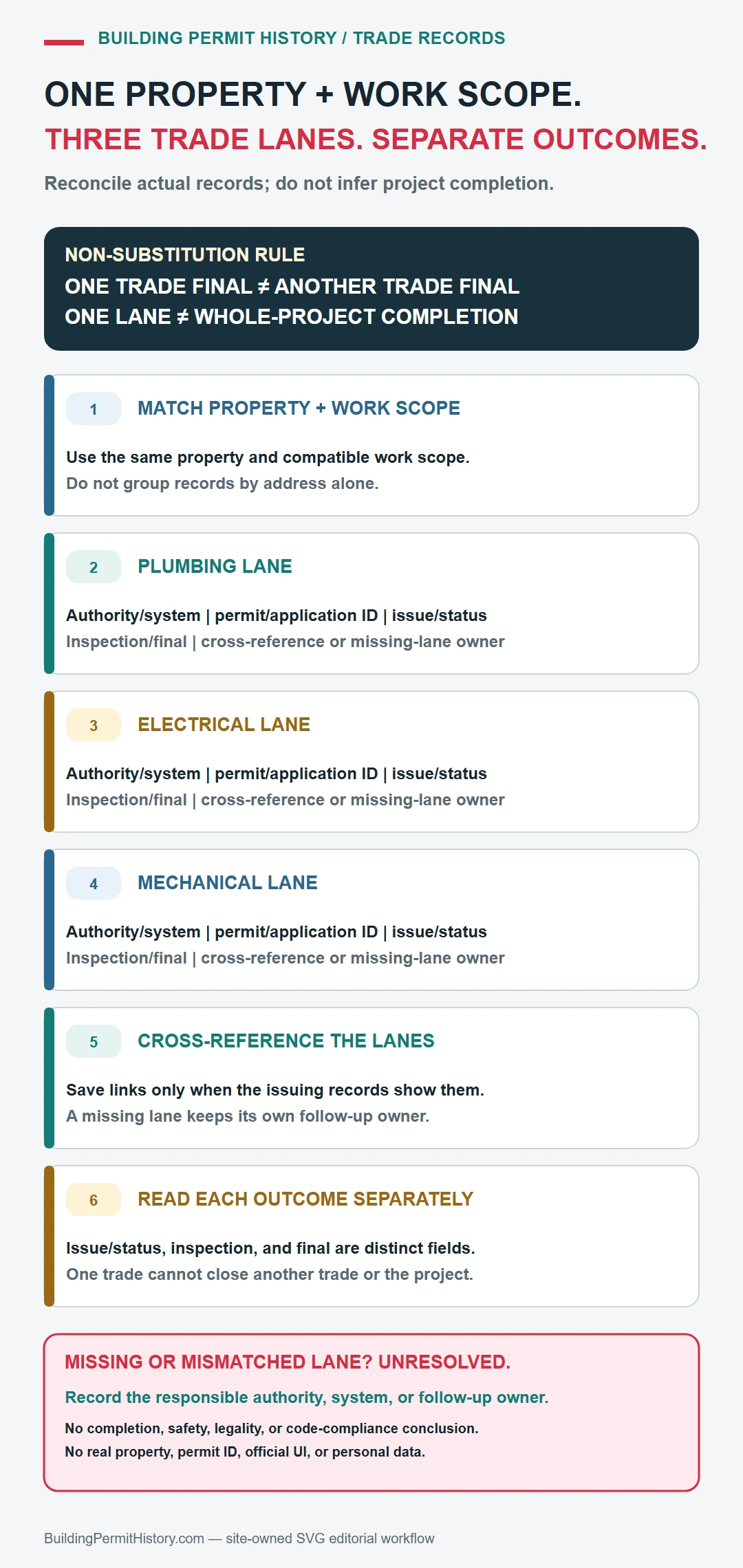
Plumbing, electrical, and mechanical work may appear as separate trade permits rather than as detail inside the main building permit. Search the property first, identify the parent remodel or construction project, and then collect every trade record tied to the same address, scope, and work period. A final building permit does not automatically establish that each trade permit reached its own final result.
Keep the trade discipline, full permit number, contractor or licensee role when shown, work description, issue date, inspection types, correction entries, and final status together. Those fields distinguish a permit for a service upgrade, fixture replacement, equipment installation, or rough-in from a different job at the same property.
Find every agency that owns part of the trade history
Begin with the building department, but check whether electrical, plumbing, mechanical, fire, utility, or health work is handled by a separate local or state office. The USA.gov local government directory can route an unknown jurisdiction; the responsible agency’s own site must confirm the correct portal and record coverage.
- Route: building department first, then any separately named trade or fire authority.
- Inputs: address, parcel, parent project number, trade permit number, contractor name, and work-year range.
- Result: read each discipline’s inspections and closeout separately before assembling the project history.
- Gap: ask for the named trade record or inspection, not an undifferentiated property file.
Use both the address and parcel number
For the trade-permit history, have the street address, parcel number, owner or applicant name, permit number, and an approximate work date ready.
- Exact street address
- Parcel or assessor number
- Permit or application number
- Issuing city or county
Open the permit, inspection, and completion history
- Open the main project or building permit and copy its scope, number, and work dates.
- Search the same property and date range for each relevant trade discipline; use exact trade-permit numbers when the main record provides them.
- Match every trade record by scope and property before adding it to the project history.
- Read inspections, corrections, and final status within each trade record rather than borrowing the building permit’s outcome.
- If a trade is missing, check the separately named authority, older system, or records-request route for that discipline and work year.
Read issued, finaled, expired, and open separately
To complete the trade-permit history, the result is strongest when the permit, inspection events, and final status refer to the same scope of work and property.
- Main building project: use its scope and dates to identify related work, not to borrow every trade outcome.
- Electrical permit: match the electrical scope, permit number, inspections, corrections and final result.
- Plumbing or mechanical permit: match each discipline and its own record owner, dates, inspections and outcome.
- Missing trade record: check the separately named agency, older system or request route before concluding it does not exist.
A permit entry found through plumbing, electrical, and mechanical permit records does not by itself prove that the work passed final inspection, matches the building today, or complied with rules owned by another department.
How real jurisdictions split trade permits
The split is not a theory. These official systems show where trade records actually sit:
- Washington State: the Department of Labor & Industries issues many electrical permits. Its Look Up a Permit or Inspection tool searches by permit number or by county and house number, one year at a time, and has no data for permits bought before January 1, 2020. Some cities issue their own electrical permits instead, so a Washington remodel can have a city building permit and a state electrical permit.
- Seattle: SDCI issues land use, construction and trade permits, and an electrical permit applicant needs a Washington State electrical contractor's license. Search the City's permit records, not L&I's, for a Seattle address.
- Minnesota: the Department of Labor and Industry issues electrical permits wherever its inspector directory lists the authority as State. Where it says Local, the city or township holds the record.
- Los Angeles: LADBS lists electrical, plumbing and mechanical HVAC as separate permit types. Its online records search covers those trade records only from 1985 to 1990 and from 1996 to the present, so a 1993 rewiring may need a records request.
- Oregon: counties using the state ePermitting system, such as Deschutes County, treat electrical, mechanical and plumbing as separate application types. Adding a bathroom there needs both a plumbing and a building permit.
The pattern to take away: before concluding a trade permit is missing, check whether a state agency or a different city office issues that trade, and whether the online search covers the work year.
If the permit history is incomplete
For an unresolved trade record, give the responsible office the address, parcel, work year, trade discipline, main project number, every trade-permit number found, and the building or trade systems already searched. Ask for the named permit, inspection, correction, or final record.