Search both BIS and DOB NOW when you need NYC DOB building information. Match the property by street address, BIN, and borough-block-lot (BBL) first; then read complaints, violations, jobs or filings, inspections, and occupancy information as separate record groups. The two systems do not show the same universe, so a blank result in one system is not a clean building record.
Start with the building identity
NYC Department of Buildings maintains records in more than one public system. Open the official Building Information System (BIS) and the DOB NOW Public Portal. Search by address, but confirm the result with the BIN and BBL shown for the property before combining anything from the two systems. If the address is formatted differently or the property has more than one street address, the stable identifiers help prevent a false match.
| Question | Official route to check | What the result can tell you |
|---|---|---|
| What DOB records are attached to this building? | BIS and DOB NOW Property Profile | Jobs or filings, occupancy information, and other building-specific record groups available in each system. |
| Were complaints reported? | BIS | Recorded complaints and their displayed status. Complaints generated from 311 calls are not shown in the DOB NOW Public Portal. |
| Are there violations? | BIS, then DOB NOW | BIS is necessary for a complete check because OATH/ECB violations and some DOB violations are not in DOB NOW. |
| Is there a certificate of occupancy or other DOB NOW item? | DOB NOW Property Profile | Certificate of Occupancy information and DOB NOW records such as listed civil penalties or Tenant Protection Plans. |
| Do I need a plan, folder, microfilm, or other underlying document? | DOB NOW: BIS Options record request | A request route for documents that are not viewable in the Public Portal. |
This division matters because the DOB NOW Public Portal does not replace BIS. NYC says the Public Portal reflects DOB NOW filings, while filings made through eFiling or a borough office remain in BIS. Use the NYC DOB Find Building Data page when you are unsure which official route owns the record.
What BIS contributes to a building profile
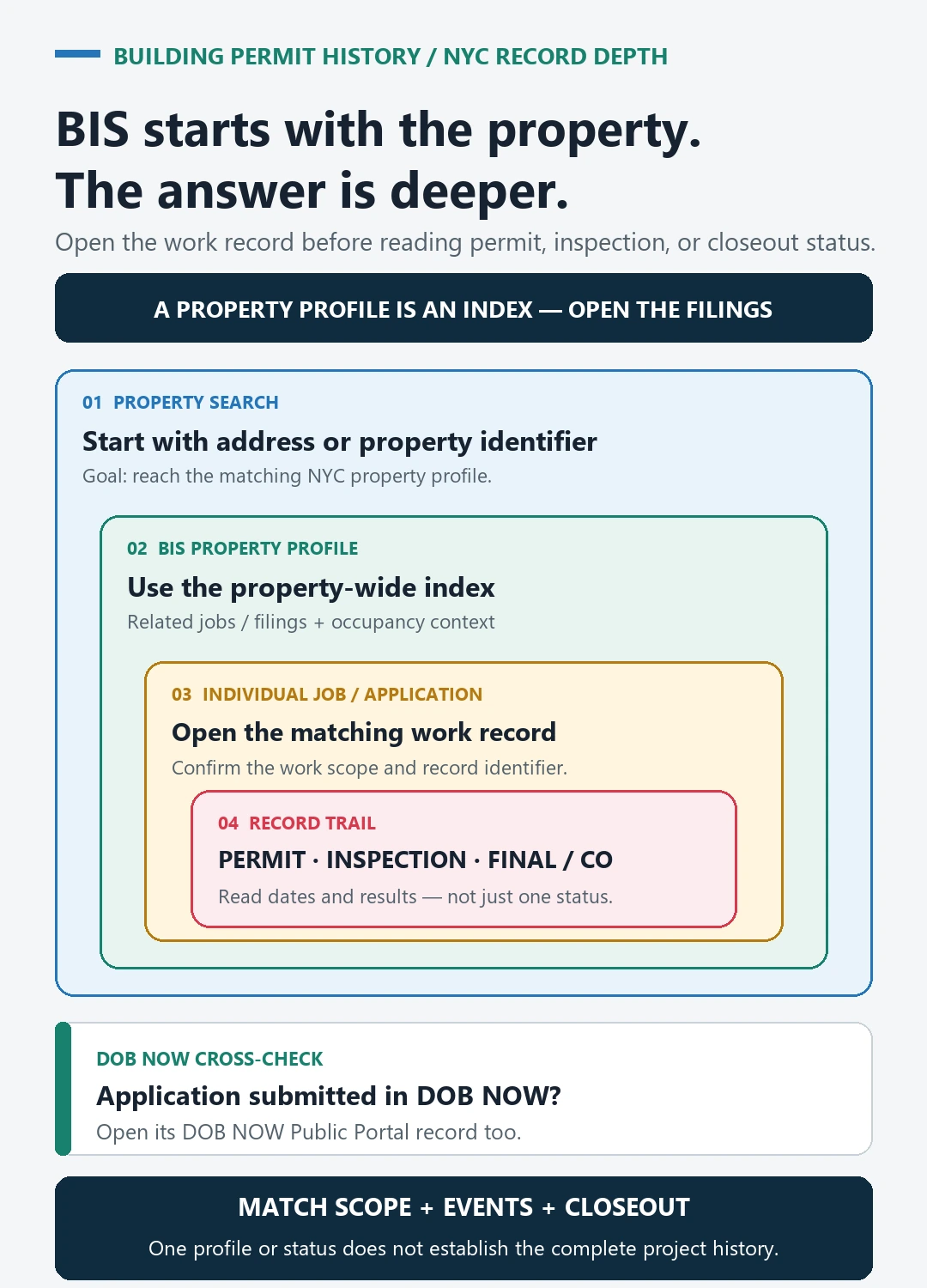
BIS is available without creating an account. Its property profile can lead to recorded complaints, violations, actions, applications, and inspections. NYC’s Find Building Data page also identifies BIS as the home of jobs, applications, and permits created before the launch of DOB NOW, along with occupancy information.
- Confirm the property: compare the address, borough, BIN, block, and lot before opening record details.
- Open the relevant record group: complaints, violations, actions, applications, inspections, and occupancy information answer different questions.
- Read status in context: an active or resolved label belongs to that displayed item. It does not establish the status of every other record for the building.
- Keep reports separate from findings: a complaint shows that an issue was reported; follow its own details and disposition rather than treating the complaint alone as proof of a violation.
What DOB NOW adds—and what it leaves out
The public sections of DOB NOW can be used without an account. Its Property Profile can be found by address, BBL, BIN, or job number and may show a Certificate of Occupancy, civil penalties owed, and a Tenant Protection Plan. Other public tools cover devices, licensees, compliance violations, and applications.
The limitation is just as important as the feature list. The portal shows DOB NOW filings, not the filings stored in BIS. It does not show 311 complaints. Its violation coverage is also incomplete: NYC says OATH/ECB violations and some DOB violations appear only in BIS. For most listed compliance types other than boilers, elevators, facades, and energy grade, the portal shows only new violations issued after November 2024. Check both systems rather than interpreting one empty result as “no violations.”
Read each building-information layer separately
| Record layer | Capture | Do not conclude from it alone |
|---|---|---|
| Property identity | Address, borough, BIN, block, and lot | That similar-looking addresses or adjacent lots are the same property. |
| Complaint | Complaint number, date, category, location, and displayed status | That the reported condition was confirmed or that a violation remains open. |
| Violation | Issuing program, violation number, issue date, status, and any resolution details | That one portal contains every violation type or the complete historical list. |
| Job or filing | System, number, work description, dates, and filing status | That the proposed work was performed, passed inspection, or reached completion. |
| Inspection or action | Date, event type, result, and the job or record it belongs to | That the event resolves an unrelated complaint, violation, or filing. |
| Occupancy record | Document type, use or occupancy details, and effective date shown | That it describes every later alteration or the building’s current physical condition. |
Save the identifying number and direct record link for anything material. “The building profile is clear” is not a useful research note; “BIS complaint number X displayed resolved on the checked date” records what was actually observed and makes a later recheck possible.
If a record is missing from the public profile
- Recheck the borough and compare the BIN and BBL so the search is tied to the intended property.
- Search both BIS and the DOB NOW Public Portal. A filing in one is not automatically copied into the other.
- Account for the portal’s scope. Pre-filing jobs are not displayed publicly; NYC directs logged-in users to Job Number Search for those records.
- Do not expect plan images in the Public Portal. Use DOB NOW: BIS Options to request drawings, plans, folders, microfilm, docket books, reels, index or I-cards, and curb-cut cards.
- When contacting DOB, provide the address, borough, BIN, BBL, exact record type, approximate date, any known record number, and the systems already searched.
Use the permit guide for the project-level workflow
This page is for understanding the building profile and deciding which NYC DOB record group to open. If your question is whether a particular renovation had a permit, passed inspection, or reached sign-off or completion, use the separate NYC DOB permits-by-address guide. That workflow follows a matching job or filing into its permits, inspections, and completion evidence instead of treating the property profile as the answer.
To read the ECB violations section of a property profile, see our NYC DOB violations lookup, which counts how 52,042 violations from 2024 stood in October 2026.