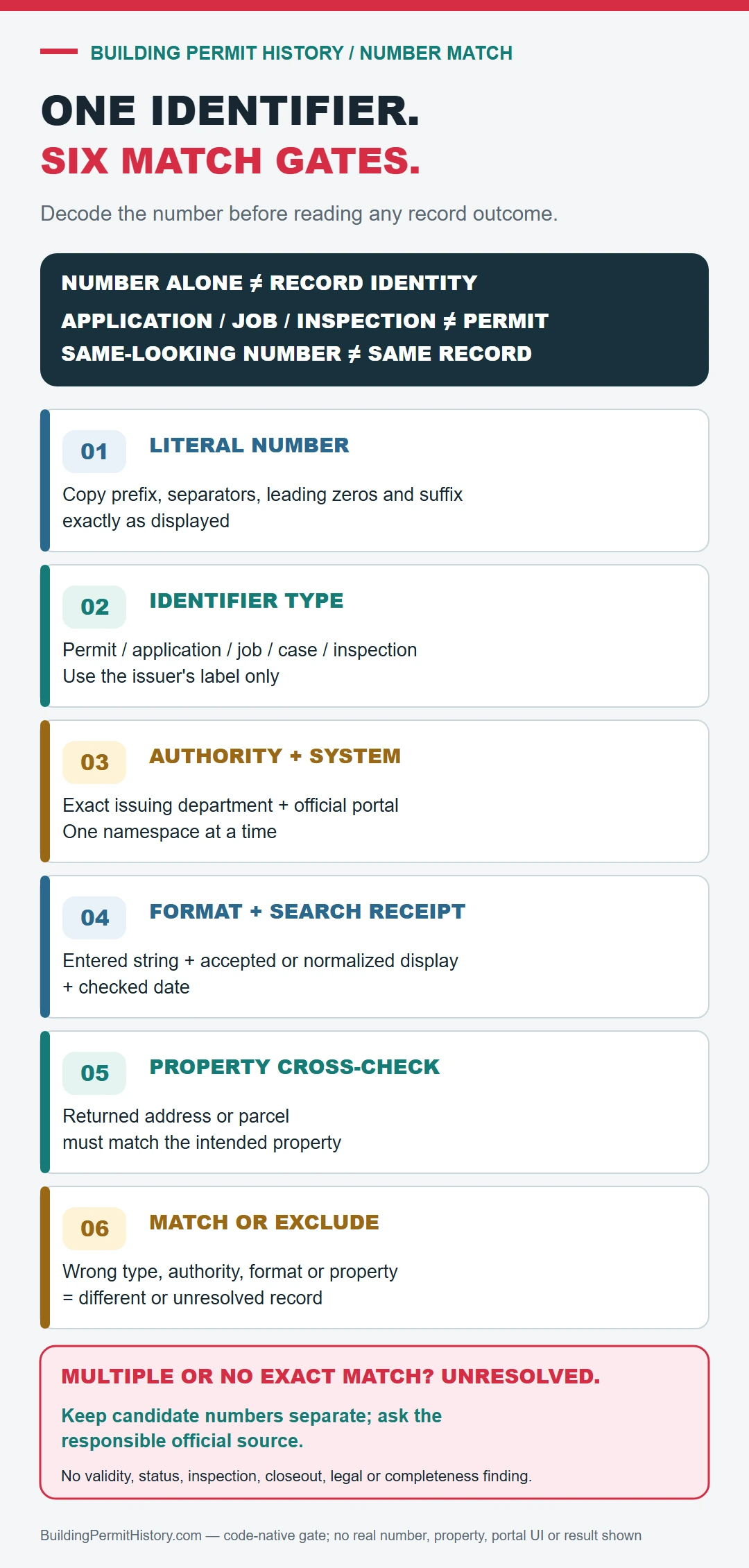
A permit number is useful only when it is tied to the issuing authority and the record type printed beside it. Preserve the complete identifier, search that exact number first, and use the address or parcel to confirm the returned property or recover related identifiers.
Confirm what the number identifies before searching
A project, application, job, filing, permit, inspection, and certificate can have different numbers even when they belong to the same work. Copy the identifier exactly, including letters, year segments, leading zeros, punctuation, and suffixes. Note the issuing authority and the document label beside the number; without those two facts, a correct-looking match may belong to a different record type.
- Exact-number route: search the issuing authority’s permit or record portal with the complete identifier first.
- Number rejected: try only the format variations allowed by that portal’s help page; do not silently remove a prefix or suffix that changes the record.
- Number accepted: match the returned address, parcel or building ID, work description, and issue date before following inspections or closeout.
- No exact result: search the address or parcel to recover related parent and child numbers, then check the legacy or records-request route for the work year.
If the issuing office is unknown, use the USA.gov local government directory to identify candidate agencies. New York City is a useful example of why labels matter: NYC DOB Building Applications and Permits routes records across systems, while BIS accepts its own job and permit identifiers.
Use both the address and parcel number
In the permit-number search, have the street address, parcel number, owner or applicant name, permit number, and an approximate work date ready.
- Exact street address
- Parcel or assessor number
- Permit or application number
- Issuing city or county
Open the permit, inspection, and completion history
- Enter the complete number in the record type or search field identified by the issuing authority.
- Confirm the returned property, record label, work description, and issue or filing date before relying on the match.
- Capture linked project, application, job, filing, permit, revision, or certificate numbers without merging their statuses.
- Open inspections and closeout under the exact permit that owns them; an application result is not a permit outcome.
- If the number returns nothing, use the address or parcel to recover related identifiers, then check the authority’s older-record or request route for the work year.
Read issued, finaled, expired, and open separately
For the permit-number search, the result is strongest when the permit, inspection events, and final status refer to the same scope of work and property.
| Identifier found | Check before relying on it |
|---|---|
| Project, job, filing, or application number | Match the property, proposed scope, filing date, and any separately linked permit. |
| Permit number | Match the issuing authority, property, authorized scope, issue date, inspections, and closeout. |
| Inspection or certificate number | Confirm the parent permit and the specific event or document represented. |
| No exact-number result | Preserve the original number and source, then recover related identifiers by address or parcel. |
A permit entry found through permit number lookup does not by itself prove that the work passed final inspection, matches the building today, or complied with rules owned by another department.
If the permit history is incomplete
For an unresolved number, preserve the identifier exactly as received and send the issuing office its printed record label, property, approximate work year, portal and field searched, format variations tried, and any related numbers found. Ask for the record cross-reference or older-system route rather than a blanket property file.